Fortnite OG browser
ShooterLooking for the classic Fortnite map in a browser tab? The fan project previously listed at fortniteog.lol currently shows a thank-you page with no game launcher. This guide keeps the original source visible and explains the official cloud-gaming route for playing Fortnite OG through a browser.
Fan project currently unavailable
Checked on October 13, 2026: the original site displays a thank-you message and a creator profile link. No playable launch screen or game iframe was found. The page gives no reason for this change; we cannot attribute it to an Epic Games takedown.
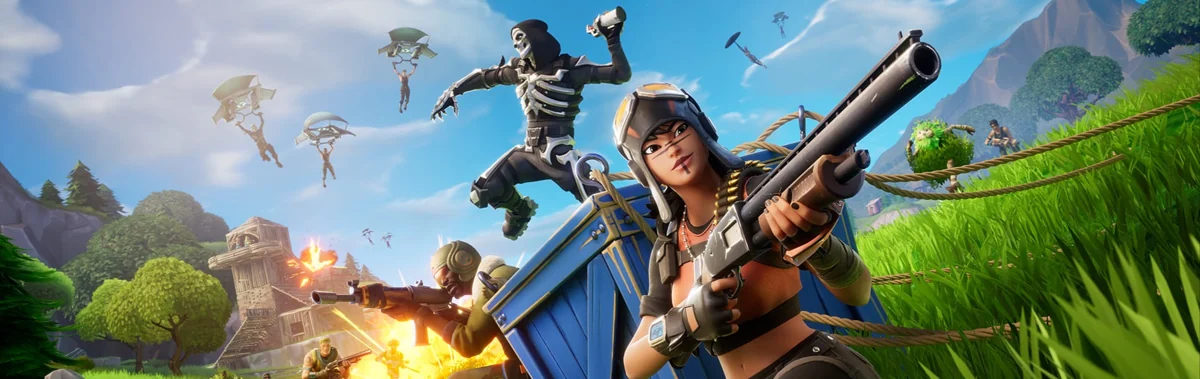
What does “Fortnite OG browser” mean?
The search can refer to two different experiences: a fan-made browser recreation associated with the early Fortnite map, or the official Fortnite OG experience streamed through cloud gaming. Old videos and game-directory listings may still point to the fan project after its launch page changes. The two routes have different hosts, account requirements and controls.
Fan browser project and official cloud play
| What to check | Fan browser project | Official Fortnite OG via cloud |
|---|---|---|
| Current entry | fortniteog.lol shows a thank-you page; no launcher found. | Xbox lists Fortnite OG on its cloud-gaming site. |
| Game and publisher | Independent fan project; no official affiliation established. | Fortnite OG is published and developed by Epic Games. |
| How the browser is used | A browser-hosted project, currently without an accessible game. | Streams the game from a cloud service; access depends on its requirements. |
How to try official Fortnite OG in your browser
1. Open the official cloud listing
Use the Xbox Fortnite OG link above. Check the service’s device, region and account requirements, then follow its sign-in prompts. A game listing alone does not guarantee a cloud session is available for your location.
2. Start the session and confirm the experience
Follow the cloud service’s launch flow. Once Fortnite opens, confirm that Fortnite OG is selected in the game menu. If the service presents a queue or access notice, follow that message rather than repeatedly refreshing the tab.
3. Configure input before your first match
Open the game’s input settings and choose the supported control method shown by the service. Check movement, aiming, interaction and building bindings before starting a match. Keep the cloud tab focused and use the service’s fullscreen control if available.
Controls and device support
The Xbox listing shows controller and touch input options. Check the live session for keyboard-and-mouse availability on your device. Read the in-game bindings instead of borrowing key lists from an old fan-project video. Mobile cloud access does not establish touch support for the unavailable fan remake.
Why the game link may not start
A thank-you page is a project-status change, not a slow game download: waiting longer or enabling browser graphics acceleration will not restore a missing launcher. For a cloud session that fails to load, check the service’s availability message, supported browser and connection first. Try its own reload or reconnect action; do not disable browser security protections or install an unknown launcher to repair an old link.
Fortnite OG browser FAQ
Can I play the fan-made Fortnite OG browser version now?
We did not find a playable launcher at fortniteog.lol during the October 13 check. This page therefore provides its status link rather than an embedded game. We have not verified a replacement host.
Is the fan project an official Epic Games release?
No official affiliation has been established for the fan browser project. Epic’s Fortnite OG is a separate official experience; use the linked publisher or cloud-service pages to identify it.
Can I play Fortnite OG without installing the PC game?
An official cloud session can stream Fortnite OG through a browser without a local PC-game installation. Check the cloud service’s current access conditions. This guide links to that route but has not completed an authenticated gameplay session.
Does this require a payment or optimizer download?
This guide does not require an optimizer download or payment. Cloud-service access conditions and any optional in-game purchases are shown by the external service. Do not assume a third-party “OG browser” subscription is required.
Was the fan project taken down by Epic?
The current source page does not state a reason. A missing launcher does not establish a legal takedown, a permanent closure, or a return date.
Does it work on mobile or a Chromebook?
Check the official cloud service’s supported devices and browsers. The fan project is currently unavailable, so its mobile and Chromebook compatibility cannot be confirmed here.
Sources and last check
Checked October 13, 2026. Original-site status and official listings were reviewed; cloud gameplay, multiplayer and physical-device compatibility were not tested. Availability can change.