Skate 3 in Browser
Sports & MovementLoading the original site…
Click inside the game to use its controls. If it stays blank, try Reload or open the original site.
Open original sitePlay the independent Skate 3 in Browser fan project in the game window below. Its player loads automatically when you open this page. Follow the project’s start screen and game-data instructions, then use keyboard or controller input to skate.
The host says its game data comes from your own converted copy of Skate 3. Browser access does not remove that preparation requirement. This is an unofficial fan project; loading its page does not confirm a complete, ready-to-play session.
What is the browser version of Skate 3?
“Skate 3 in browser” usually means a community project that runs skating gameplay through the web rather than installing a console emulator. The linked host identifies itself as a Rust-engine fan game, separate from EA’s original release. Its current public instructions mention Freeskate, keyboard or controller input and an online-session menu; those modes have not been fully play-tested here.
Check the project’s game-data instructions
Open the original host and read its setup notices. Its landing page says it streams data from your own converted copy of Skate 3. If your setup cannot provide the required data, simply opening the browser player will not complete the preparation.
Use the automatically loaded player
The embedded project starts loading as soon as this page opens. Follow its start screen and wait for the game-data and engine stages to complete. If the embedded view fails, use Reload or open the original-host link in a separate tab.
Choose how to control the skater
For keyboard play, WASD controls the movement stick, Space pushes, and the arrow keys act as the trick stick. With a controller, use the sticks and buttons shown by the project. Begin with a push and an ollie before attempting longer lines.
Controls
These inputs come from the host’s current loading tips and public keyboard mapping. They are project instructions, not a claim that every trick or connected controller has been tested. In-game menus remain the reference for additional bindings.
| Action | Key or input |
|---|---|
| Steer / movement stick | W / A / S / D; controller left stick |
| Push | Space; controller A |
| Trick stick | Arrow keys; controller right stick |
| Ollie / nollie | Trick stick down then up / up then down |
| Grab in the air | Z / X map to left / right bumper; controller LB / RB |
| Pause / menu | Esc; controller Start |
Browser project vs. the original Skate 3
| What changes | Browser fan project | Original game |
|---|---|---|
| Where it runs | Web page and browser engine; open the linked fan host | EA’s console release; see the publisher for supported platforms |
| Game data | Host says a converted copy of your own game is required | Uses the game data supplied with the original release |
| Controls | Keyboard emulates controller input; controller instructions are also present | Controller-focused skating and Flickit trick controls |
| Modes and progression | Source mentions Freeskate and online sessions; feature parity is unverified | EA describes career, team challenges, park creation and Skate.School |
| Updates and support | Independent project; browser compatibility and host availability can change | Original publisher’s release and support information |
Frequently asked questions
Can I play Skate 3 in Browser without downloading or an emulator?
The linked project is accessed through a web page rather than a separate console emulator. It still downloads engine and game resources, and the host says you need your own converted game data. It is not an instant, zero-file substitute for the original release.
Is the browser game made by EA?
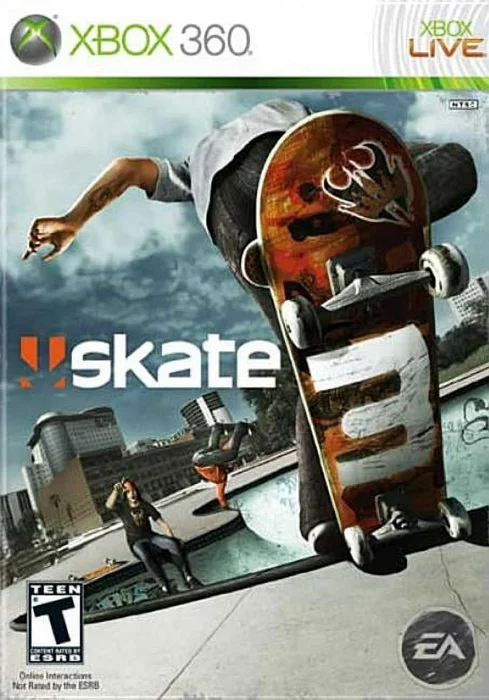
No. The linked host labels it a fan game and says it is not made by EA. The original Skate 3 is an EA Black Box game. This directory and the linked fan project are independent of the publisher.
Can I use a keyboard instead of a controller?
The public project mapping provides keyboard input: WASD for steering, Space to push, arrow keys for the trick stick and Esc for the menu. Arrow inputs mimic stick flicks; pressing Space is a push rather than the ollie gesture.
Does it include the full career and multiplayer?
The project source mentions Freeskate and an online menu for hosting or joining by session code. Complete career progression, every original map, DLC and multiplayer reliability have not been independently verified. Do not treat menu options as proof of full original-game parity.
Why does the loading screen take a long time?
The project separates connection, game data, engine and engine-start stages. Initial resources can take time. Read the stage and progress text before using Retry. If the embed does not start, open the original tab and check the host’s current setup message.
Will it work on a phone or a school computer?
Touch controls are present in the project source, but this does not establish mobile performance or compatibility. Browser graphics, storage, device resources and network restrictions can prevent startup. Use the original host’s current device instructions; specific phones and managed computers have not been tested.
Can I save progress or use my console save?
The host describes settings saved in the current browser. Cross-device progression, console-save import and full career persistence have not been verified. Keep any existing save files and follow the project’s own save instructions before relying on browser storage.
Sources and availability
Project pages and public scripts checked on October 11, 2026. Full matches, multiplayer and long-session stability have not been tested.